
7 Best AI Coding Assistants for Developers in 2026 (Tested & Compared)
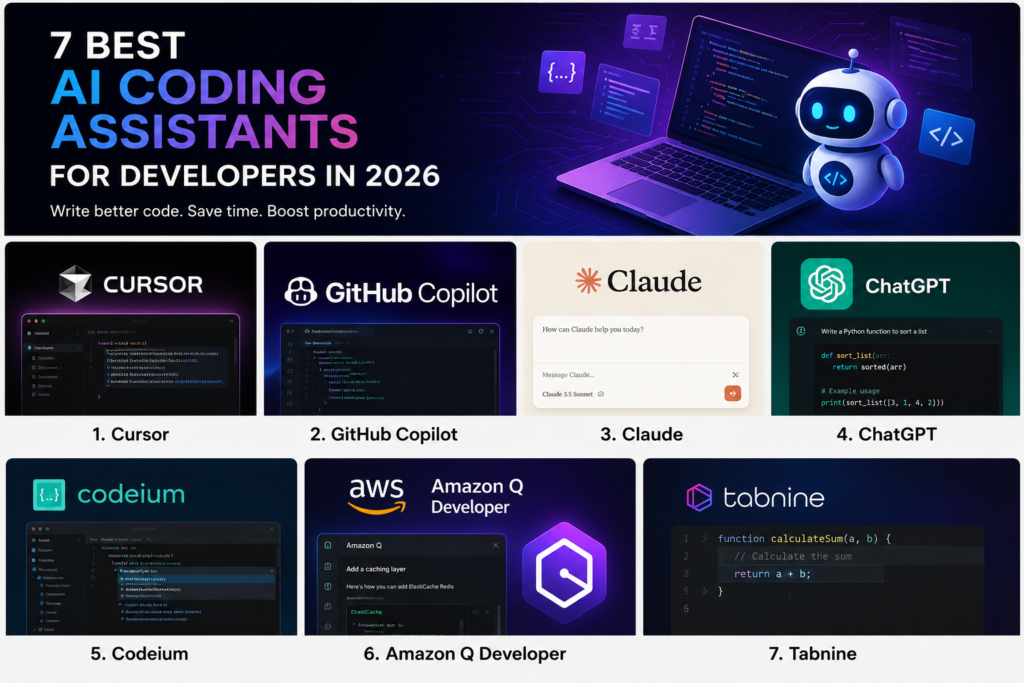
Artificial intelligence has changed the way developers write, debug, and maintain code. Tasks that once took hours can now be completed in minutes with the help of AI coding assistants.
Whether you’re a beginner learning programming or an experienced software engineer working on large projects, choosing the right AI coding tool can significantly improve productivity.
In this article, we’ll compare the best AI coding assistants available in 2026 and help you decide which one fits your workflow.
1. Cursor
Cursor has become one of the most popular AI-powered code editors for developers. Built on top of Visual Studio Code, it offers intelligent code generation, codebase understanding, debugging assistance, and natural language code editing.
Pros:-
Understands entire projects
Fast code generation
Excellent developer experience
Supports multiple programming languages
Cons:-
Premium features require a paid plan
Can occasionally generate incorrect code
Best For:-
Professional developers and software engineers.
2. GitHub Copilot
GitHub Copilot remains one of the most widely used AI coding assistants. It integrates directly into popular IDEs and provides real-time code suggestions as you type.
Pros:-
Easy integration
Strong code completion
Large developer community
Cons:-
Limited project-wide understanding compared to newer tools
Best For:-
Developers already working within the GitHub ecosystem.

3. Claude
Claude has become increasingly popular among developers because of its large context window and ability to analyze large codebases.
Pros:-
Excellent code explanations
Handles large projects
Strong debugging support
Cons:-
Requires switching between editor and chatbot for some workflows
Best For:-
Code reviews and architecture planning.
4. ChatGPT
ChatGPT continues to be a powerful assistant for developers. It can generate code snippets, explain complex concepts, create documentation, and help troubleshoot errors.
Pros:-
Easy to use
Supports many programming languages
Great for learning
Cons:-
May require verification of generated code
Best For:-
Students, freelancers, and developers looking for a versatile AI assistant.
5. Codeium
Codeium offers AI-powered code completion with generous free features.
Pros:-
Free plan available
Fast suggestions
Supports many languages
Cons:-
Suggestions can sometimes be less accurate than premium competitors
Best For:-
Budget-conscious developers.
6. Amazon Q Developer
Amazon Q Developer is designed for cloud developers and teams working with AWS services.
Pros:-
AWS integration
Security-focused recommendations
Enterprise features
Cons:-
Less useful outside AWS environments
Best For:-
Cloud developers and DevOps engineers.
7. Tabnine
Tabnine focuses on privacy and enterprise adoption while delivering AI-powered code completion.
Pros:-
Privacy-focused
Team-friendly
Good enterprise support
Cons:-
Fewer advanced features compared to newer AI editors
Best For:-
Businesses and development teams.
Which AI Coding Assistant Should You Choose?
The best AI coding assistant depends on your workflow.
Choose Cursor if you want the most advanced AI coding experience.
Choose GitHub Copilot if you already use GitHub extensively.
Choose Claude for code reviews and large codebases.
Choose ChatGPT for learning and general development tasks.
Choose Codeium if you’re looking for a budget-friendly option.
Final Thoughts
AI coding assistants are no longer optional productivity tools. They have become an essential part of modern software development. The right tool can help you write code faster, reduce repetitive work, and improve overall efficiency.
Before making a decision, test a few options and determine which one fits your development style and project requirements.